SMS Notifications
Last updated: April 30, 2026
This page describes the SMS messaging program operated by Benton Technology for the TrackMyRun mobile application. We publish it so prospective users, recipients, and Twilio's compliance reviewers can understand exactly what messages are sent, who receives them, and how to stop them.
Program at a glance
| Program name | TrackMyRun Run-Start Notifications |
|---|---|
| Brand | TrackMyRun (operated by Benton Technology) |
| Purpose | Alert a small set of people the runner has chosen — usually family or close friends — that the runner has just started a run, so they can open the live dashboard. |
| Message type | Transactional / triggered. Not promotional. Not recurring on a fixed schedule. |
| Maximum recipients per runner | Two (2) |
| Frequency | One message per recipient at the start of each run. Most runners send 0–7 messages per recipient per week. |
| SMS provider | Twilio, Inc. — used solely to deliver these messages. |
| Cost to recipient | None from us. Standard message and data rates from the recipient's carrier may apply. |
How recipients are added (opt-in flow)
Recipients are not added via this website. They are added inside the TrackMyRun iPhone app by an existing, authenticated, paying subscriber (the "runner"), through the following flow.
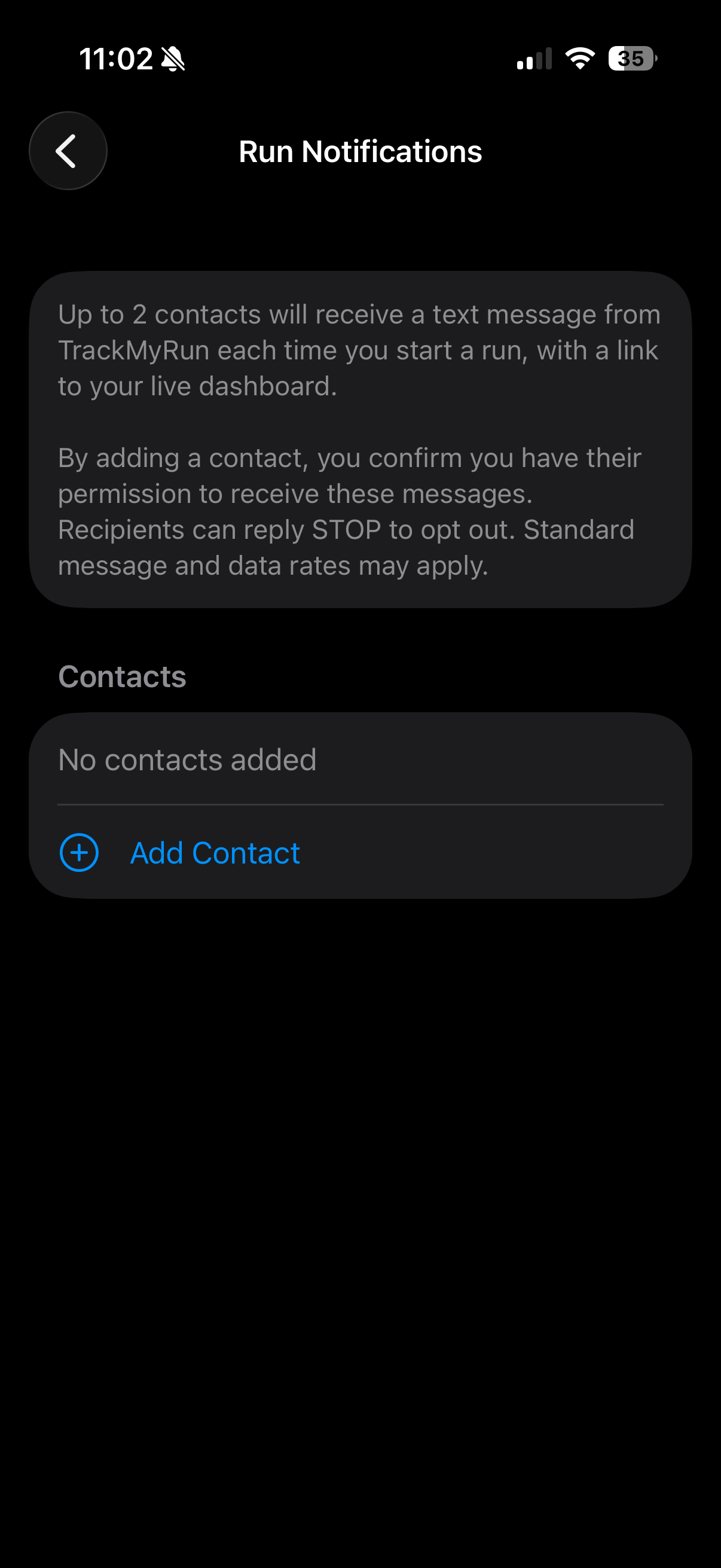
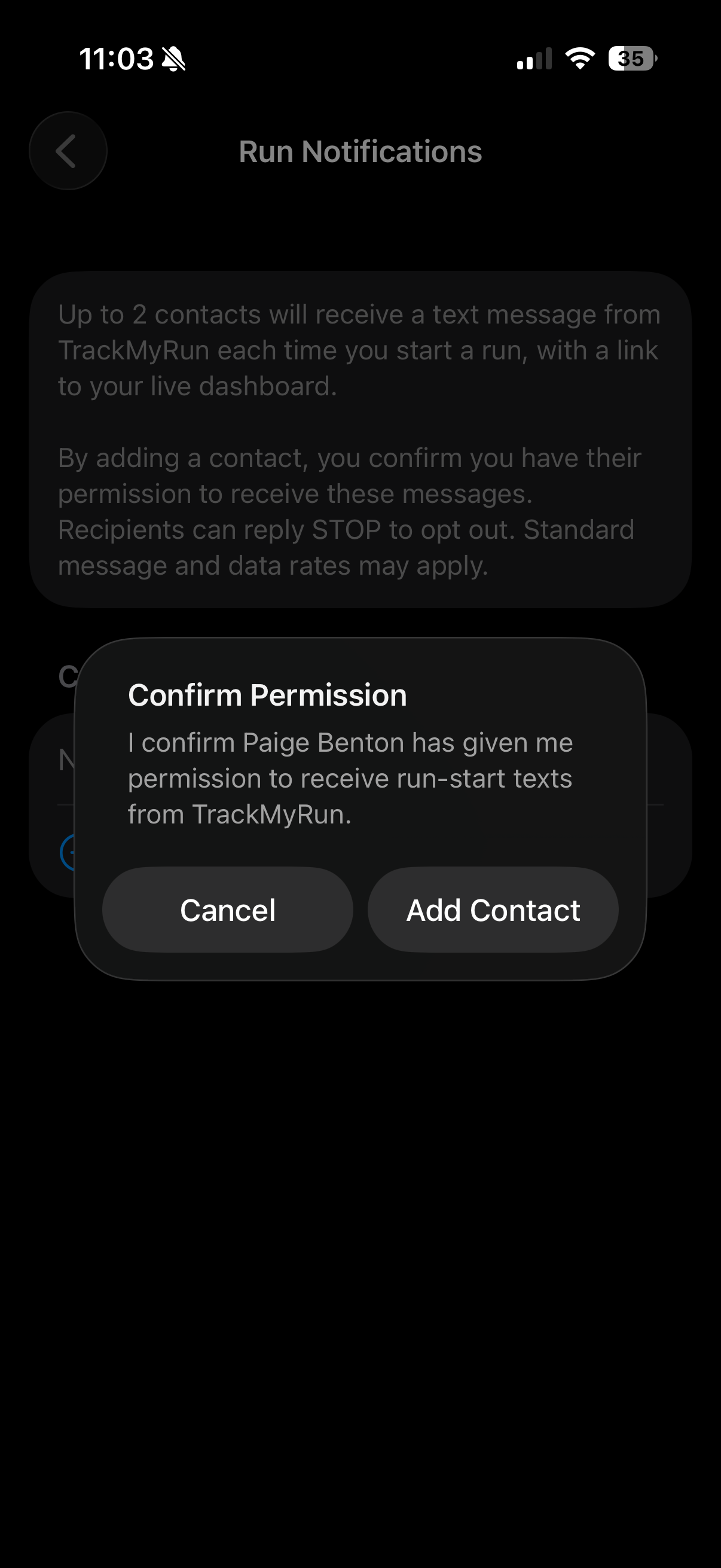
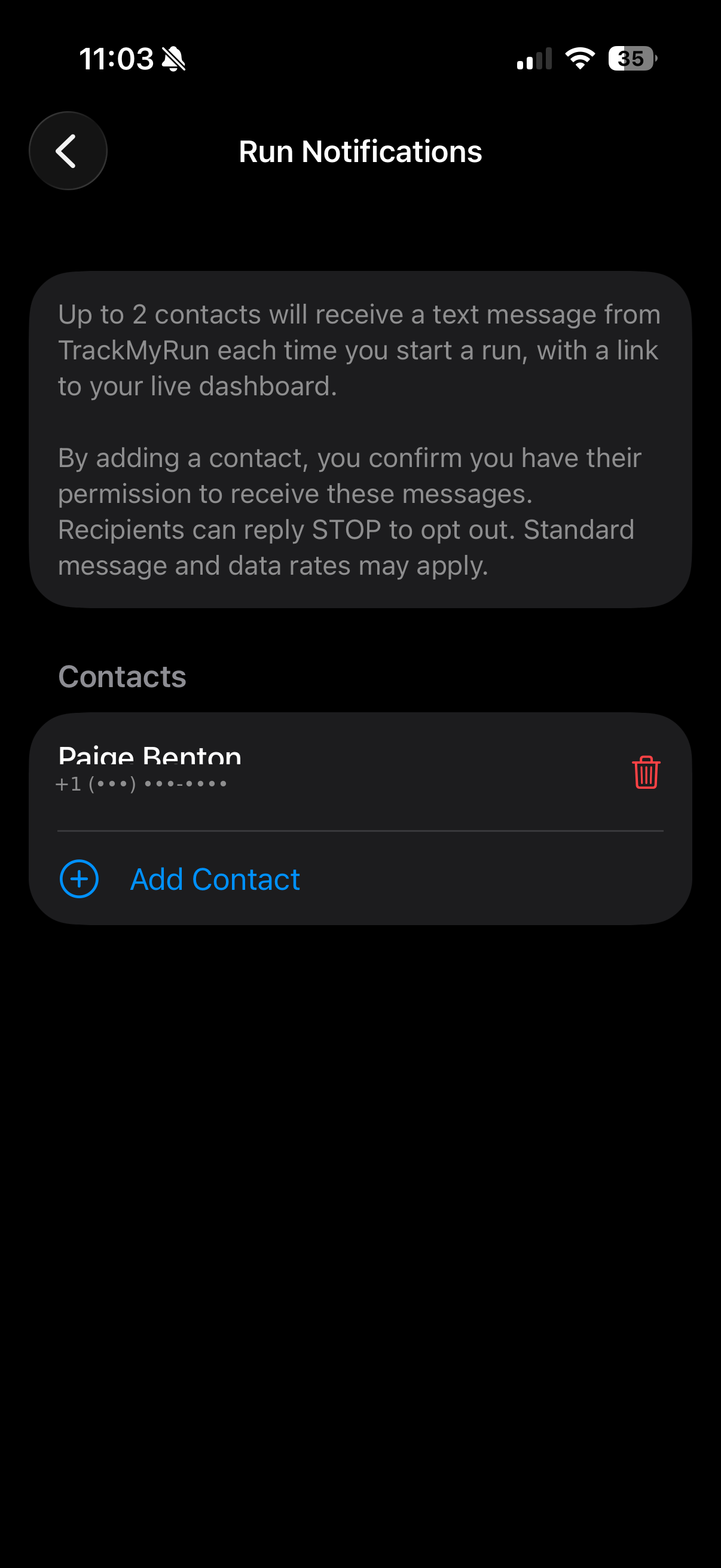
- The runner opens the iPhone app and navigates to Run Notifications (Step 1).
- The screen shows a complete disclosure including the consent requirement, STOP opt-out, and the "standard message and data rates may apply" notice.
- The runner taps Add Contact and either picks a person from their iPhone Contacts or types a phone number and name manually.
- Before saving, the runner sees a Confirm Permission dialog naming the contact (Step 2). The contact is added only after the runner explicitly confirms.
- By confirming, the runner attests — per the in-app disclosure and our Terms of Service — that they have the recipient's prior permission to send them run-start text messages.
- The runner can remove any contact at any time from the same screen (Step 3).
Sample message
This is the exact text recipients receive when a run begins:
The message contains the runner's display name and a link to the runner's live dashboard. No promotional content, no advertising, no links other than the runner's dashboard URL.
Opting out
Recipients can stop receiving messages at any time, in two ways:
- Reply STOP to the message. Replying STOP, UNSUBSCRIBE, CANCEL, END, or QUIT to any message will block all future messages from our sending number. This is honored automatically by our SMS provider (Twilio) at the carrier level. Recipients may reply START or UNSTOP later to resume.
- Ask the runner to remove them. The runner can delete a contact from the iPhone app instantly.
Reply HELP at any time and you will receive a short reply directing you to [email protected] and to this page.
Privacy of phone numbers
Phone numbers added as notification contacts are used only to deliver run-start text messages via Twilio. We do not sell, lease, share, or transfer phone numbers — or any mobile opt-in data — to third parties or affiliates for marketing or promotional purposes. Phone numbers are deleted from our systems when the runner removes the contact or deletes their account.
For the complete data-handling description, see our Privacy Policy.
Anti-abuse safeguards
- Hard limit of two notification contacts per runner.
- One run-start message per contact per run, with a five-minute deduplication window to prevent rapid-fire duplicates.
- The phone number adding contacts (the runner's account) is itself verified via email and protected by an Apple StoreKit subscription, deterring throwaway-account abuse.
- Any STOP reply to a recipient blocks future messages to that number from our sending line, automatically and permanently.
- Recipients who report unwanted messages may contact [email protected] and we will block their number from our service entirely on request.
Contact us about messaging
Operator: Benton Technology
Email: [email protected]
Website: https://bentontechnology.net/trackmyrun/